Camera
Camera Tools provides a batch-render workflow for multiple cameras.
Build a camera list by adding selected cameras or all cameras, reorder them from top to bottom, and double-click a camera to look through it.
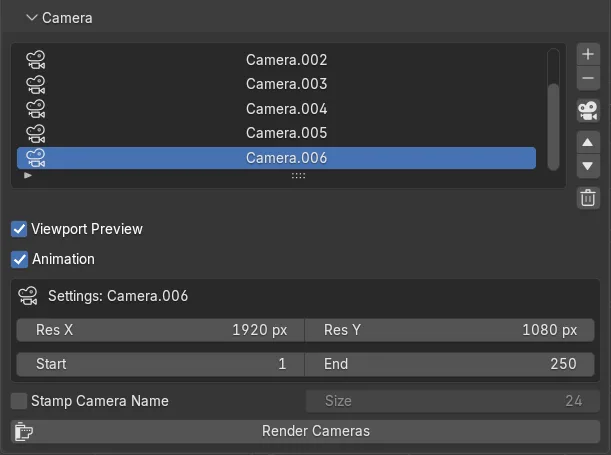
Each camera can have its own:
- output resolution
- frame range
Use Render Cameras to render the full list to the configured Output folder.
Additional options include:
- viewport-preview rendering that respects the current viewport shading
- animation mode with per-camera frame ranges
- separate output folders per camera
- burning the camera name into each rendered image
- progress tracking
- cancellation with Esc, including during animation renders