Modelling
Geometry creation and editing tools for common modelling workflows.
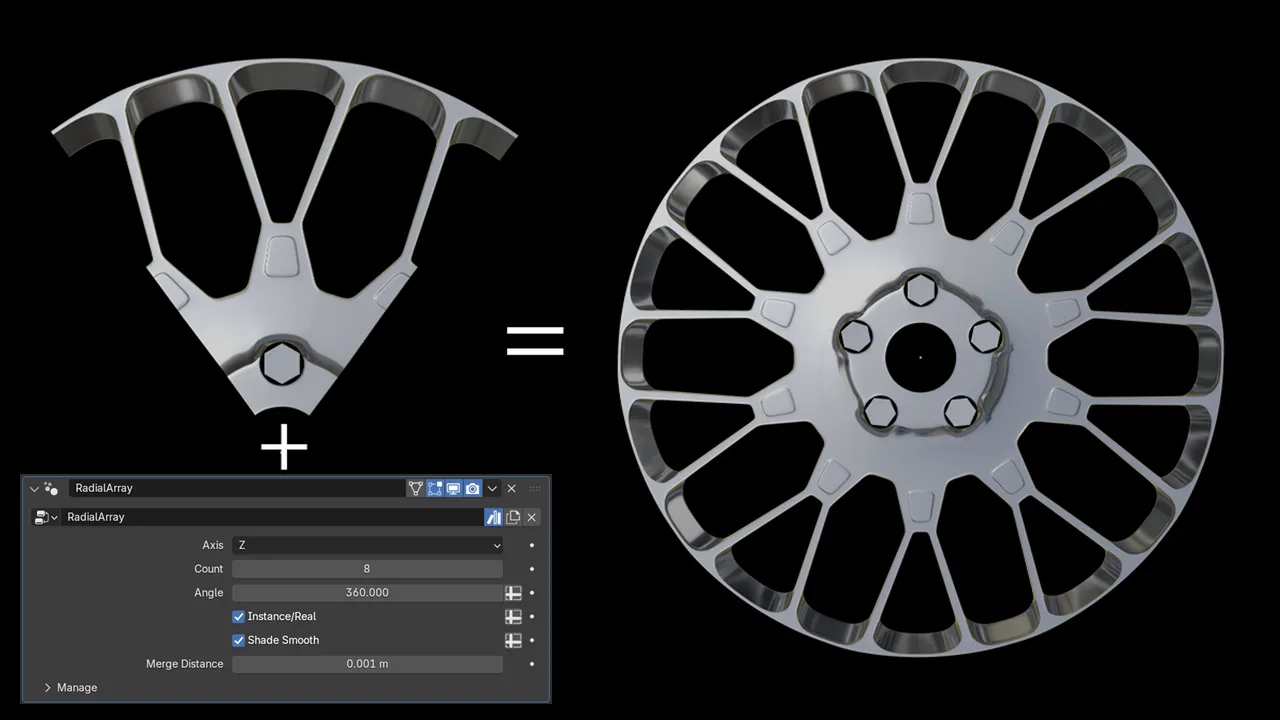
Radial Array
Creates a Geometry Nodes-based radial array modifier.
Rather than relying on instances distributed around a circle, the array is based on rotating geometry around the object's origin.
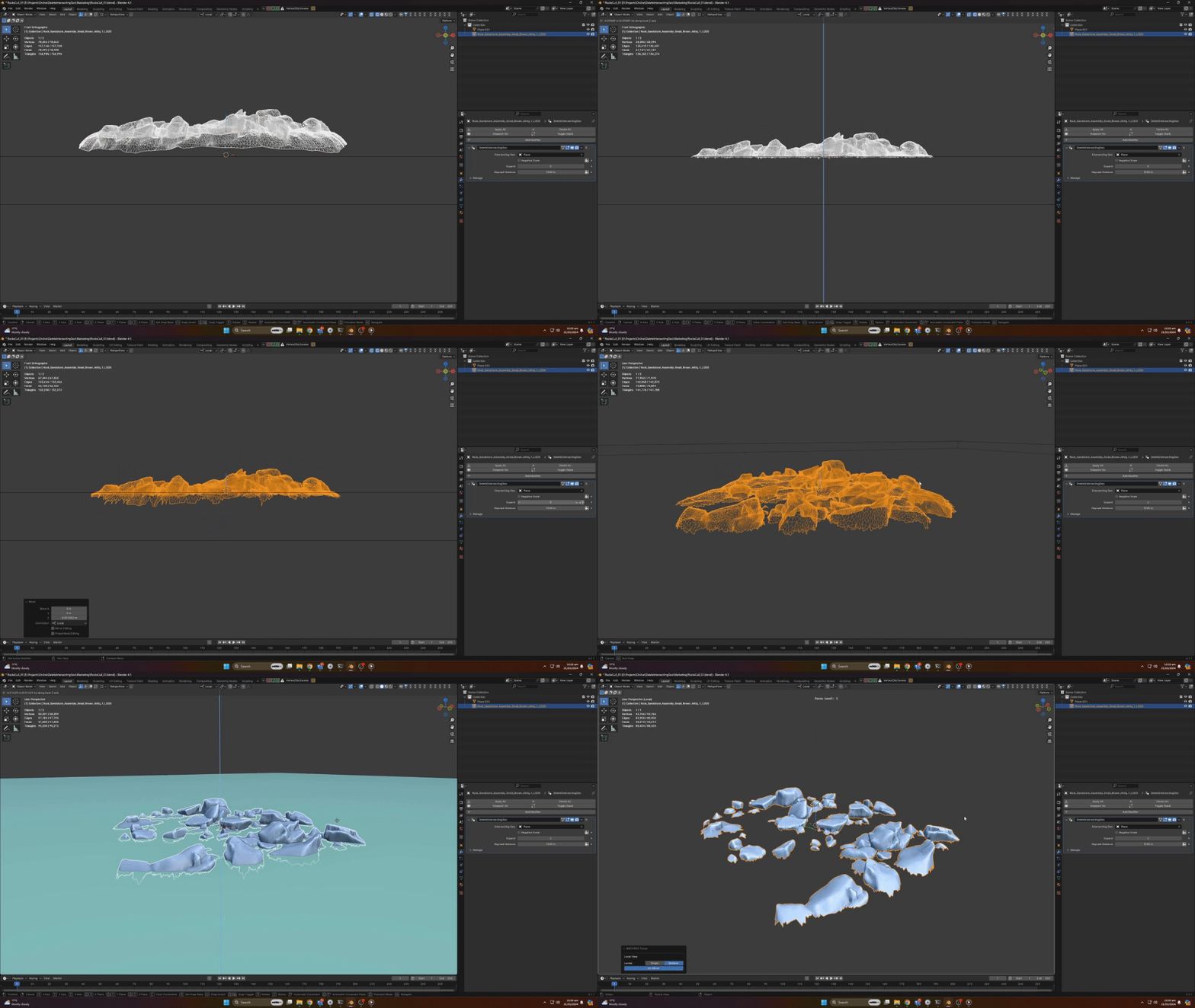
Delete Intersecting Geo
Creates a Geometry Nodes modifier that deletes geometry intersecting another object.
The affected area can be expanded or contracted, making it useful for environment work where hidden or unnecessary intersecting geometry needs to be culled.
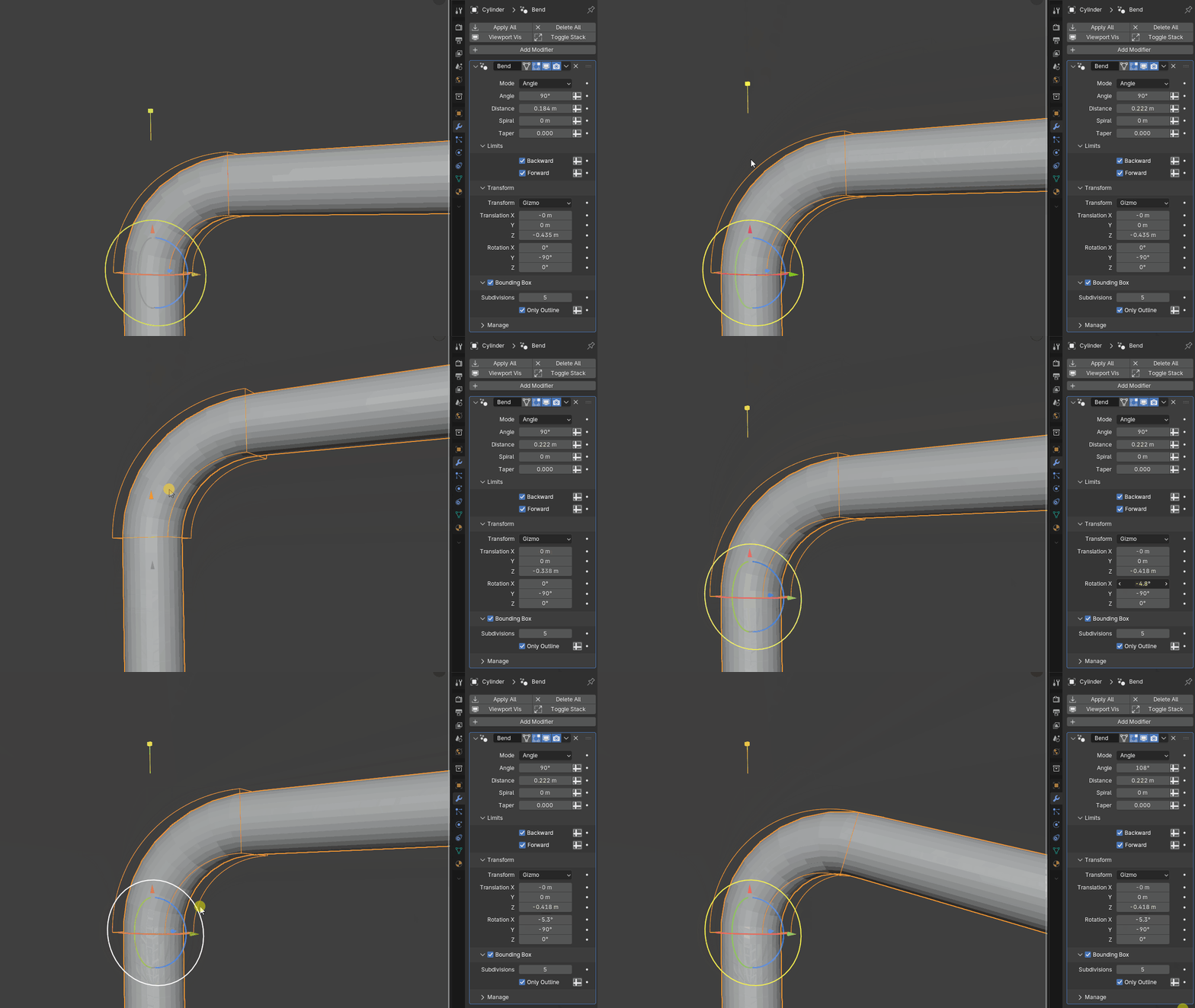
Bend
Adds the bundled Bend Geometry Nodes modifier to selected geometry objects from H3D Toolkit → Modelling → Modifiers.
In Object Mode, select one or more mesh or curve objects and click Bend. The toolkit loads the node group from its included asset the first time you use it. If a node group named Bend already exists in the current Blender file, that group is reused instead of appending a duplicate. Running the operator again on an object that already uses the Bend node group will not add another modifier.
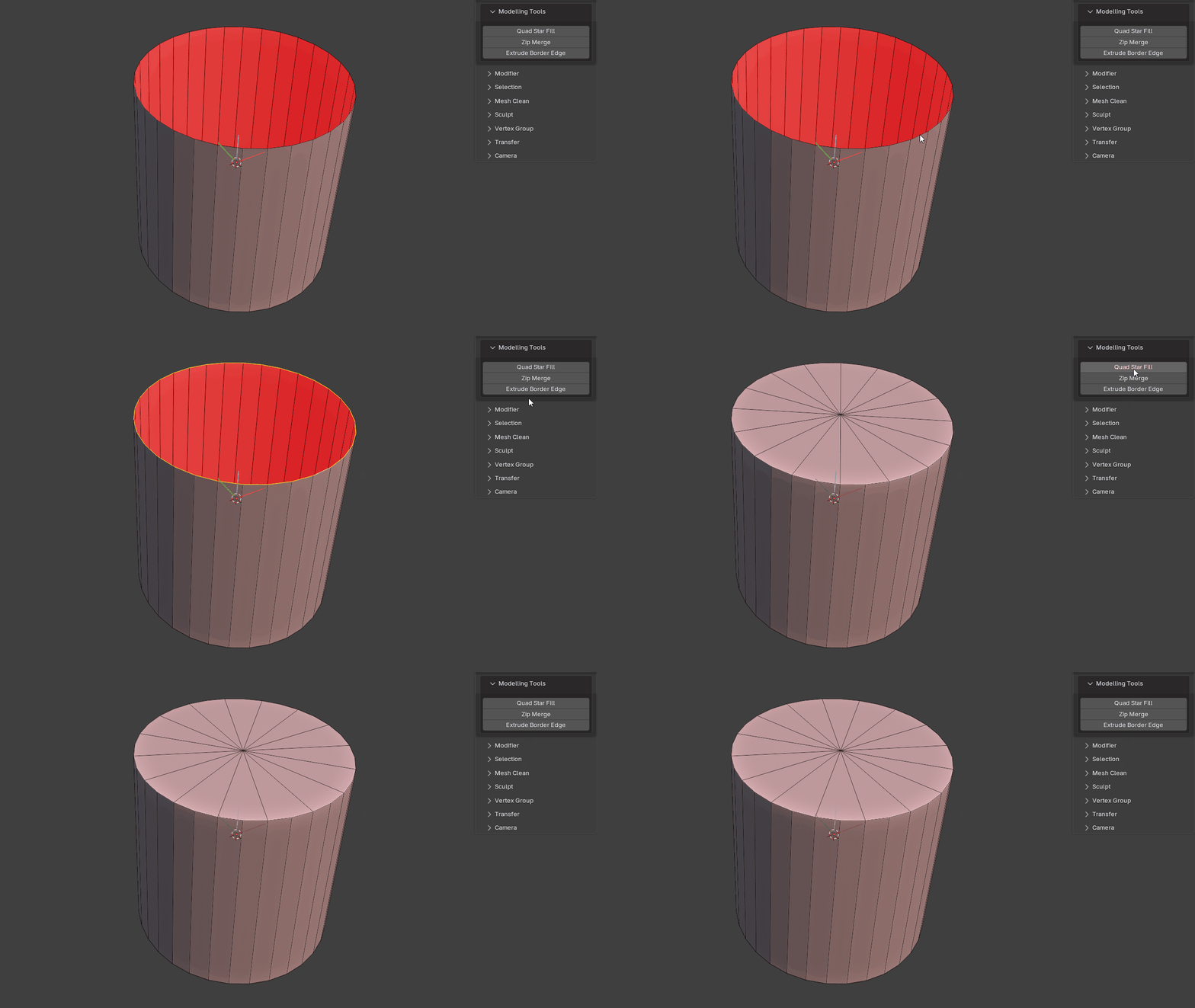
Quad Star Fill
Fills a hole with a quad star.
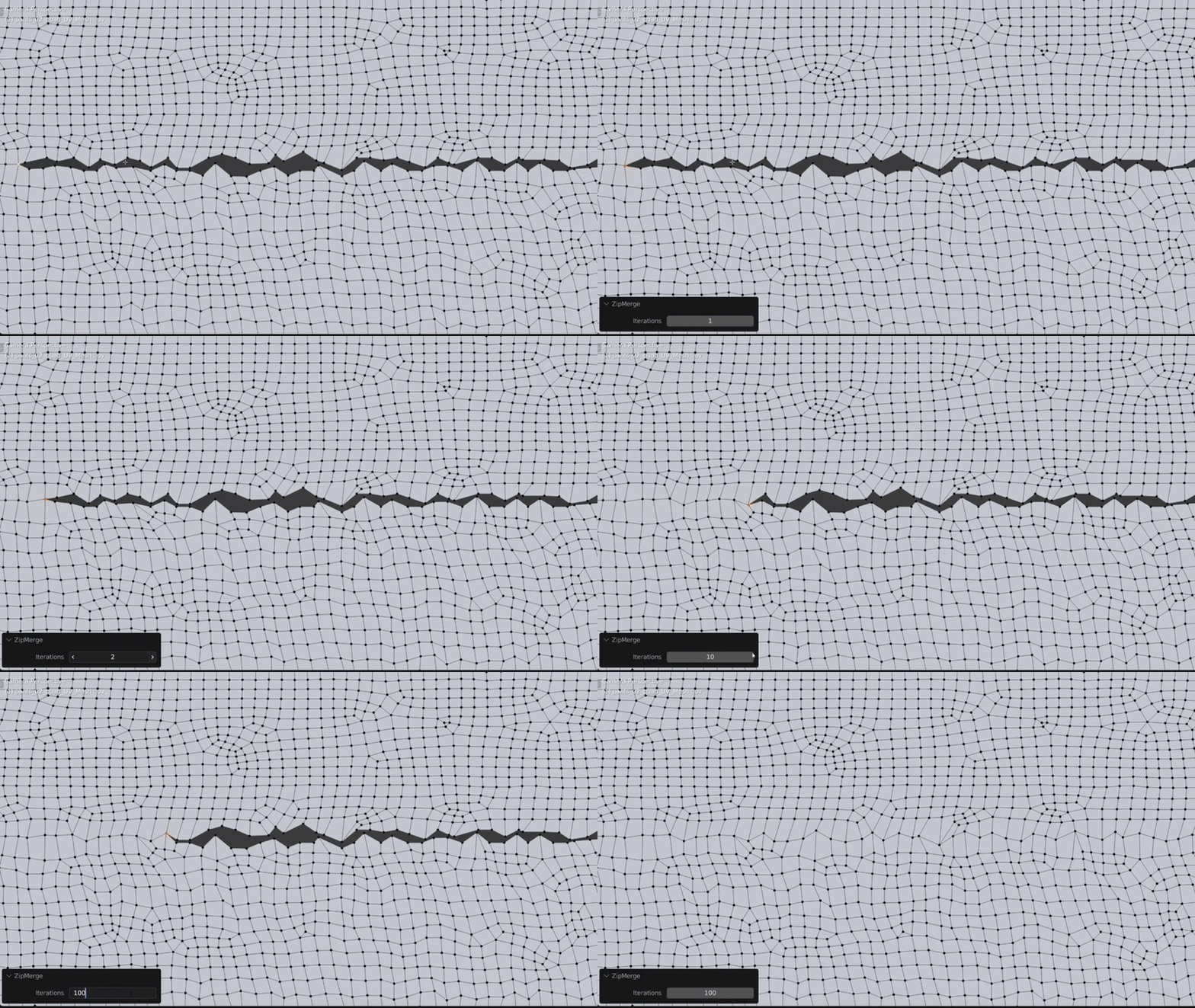
Zip Merge
Designed for merging complex geometry when Merge by Distance creates problems, or when UVs need to be preserved without bridging faces.
A useful example is merging seams together on clothing.
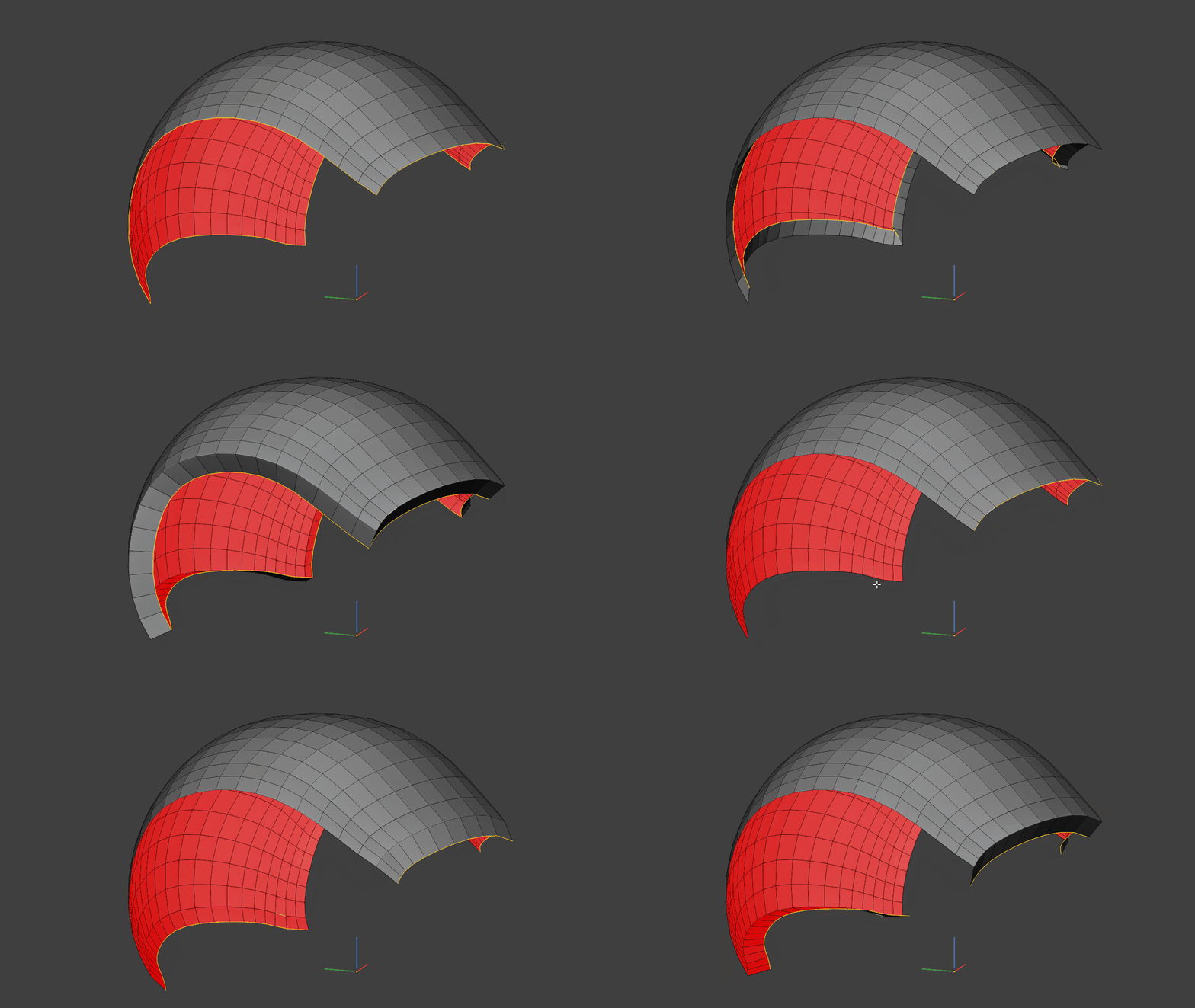
Extrude Border Edge
Extrudes and rotates selected border edges in Blender 5.2+.
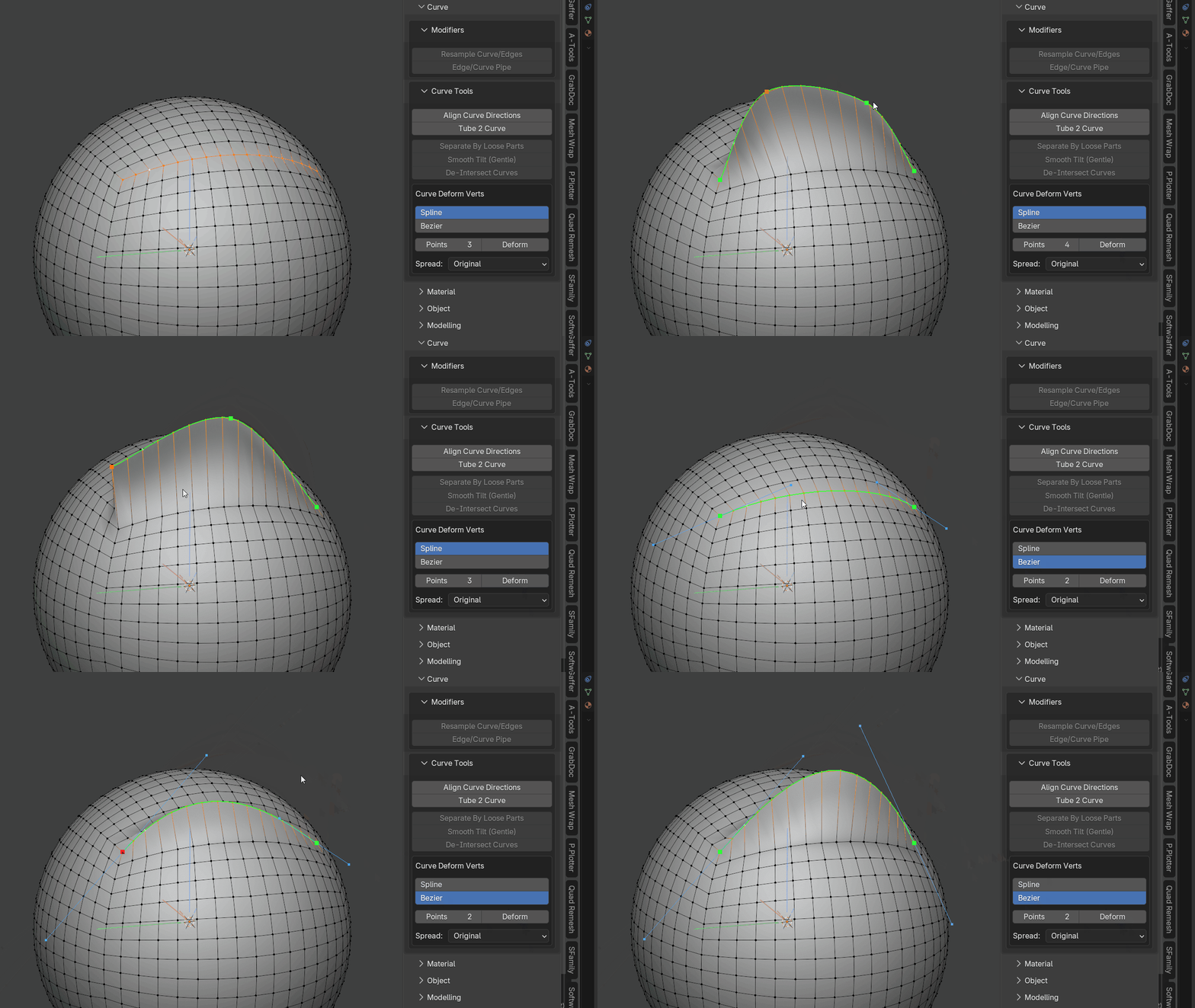
Curve Deform Verts
Quickly deform selected vertices along an editable curve with intuitive viewport controls.
Before running the operator you can choose between Spline and Bezier curve types. Bezier mode initializes its handles from the selected vertex chain so it follows the existing curvature as closely as possible at any control-point count. The endpoint handles are aligned to the original vertex-chain tangents, while the remaining handles are fitted against the source curvature. The handles can then be adjusted for more precise shaping.
You can dynamically increase or decrease the number of curve control points and change how vertices are distributed along the curve.
This is especially useful for hard-surface modelling when vertices need to follow a specific curvature.
Hotkeys:
- M = Change distribution method
- + / - = Increase/Decrease curve points
- S = Scale the selected Bezier point handles
- R = Rotate the selected Bezier point handles by moving the mouse around the selected point, similar to Blender's viewport rotation